
Contact support
Support is available exclusively via live chat when you are logged in to My uPlay. We have gathered all support in one place to help you as quickly and effectively as possible.
Live chat – for existing customers
The live chat is available around the clock, every day of the year. Our assistant answers first and resolves most things straight away – and you can always reach a human here when you need one.
How to start a chat
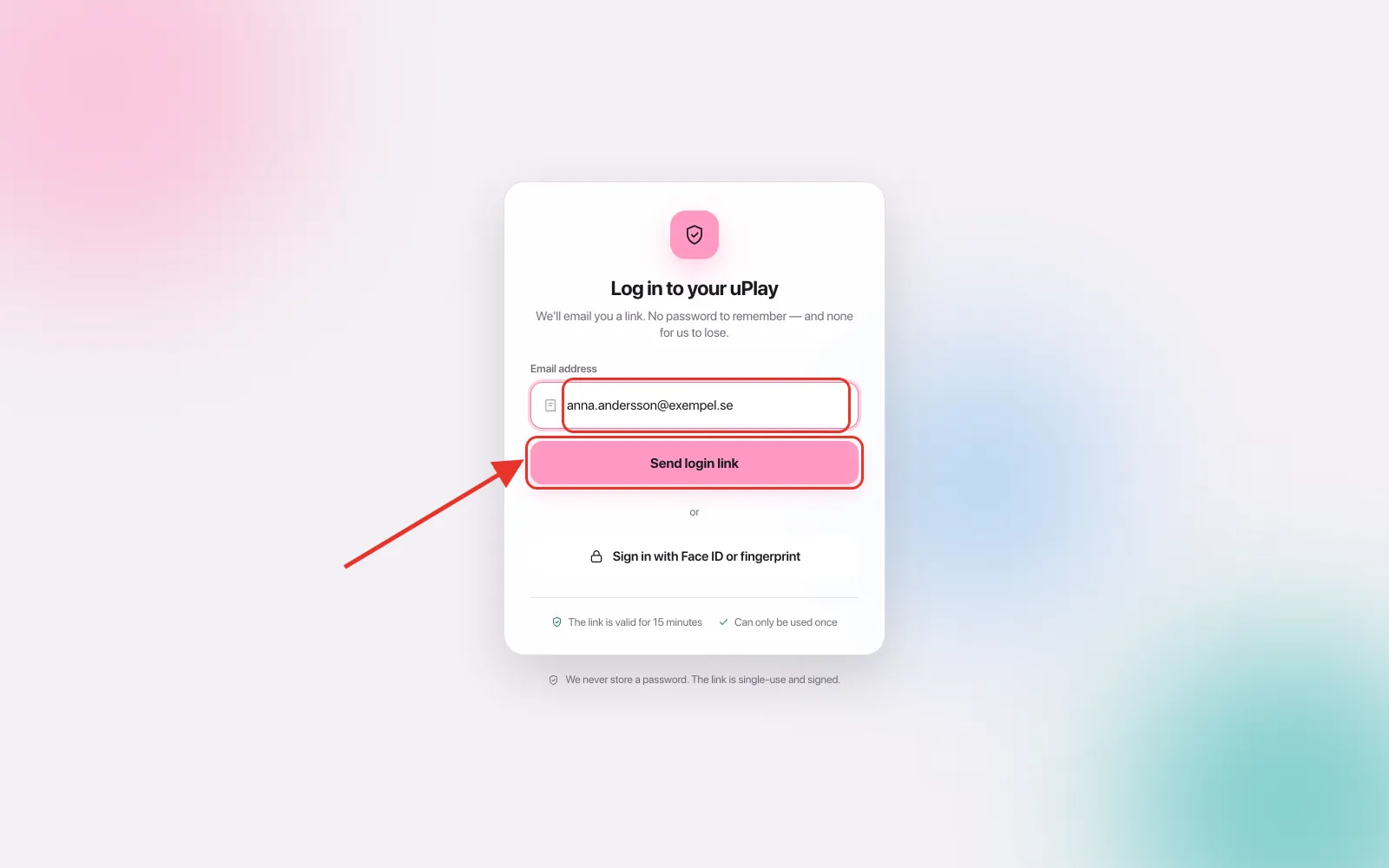
- Go to My uPlay, fill in your email address and tap Send login link. You'll get an email with a link – tap it within 15 minutes and the account page opens with you logged in. The link works once (see Log in to My uPlay)
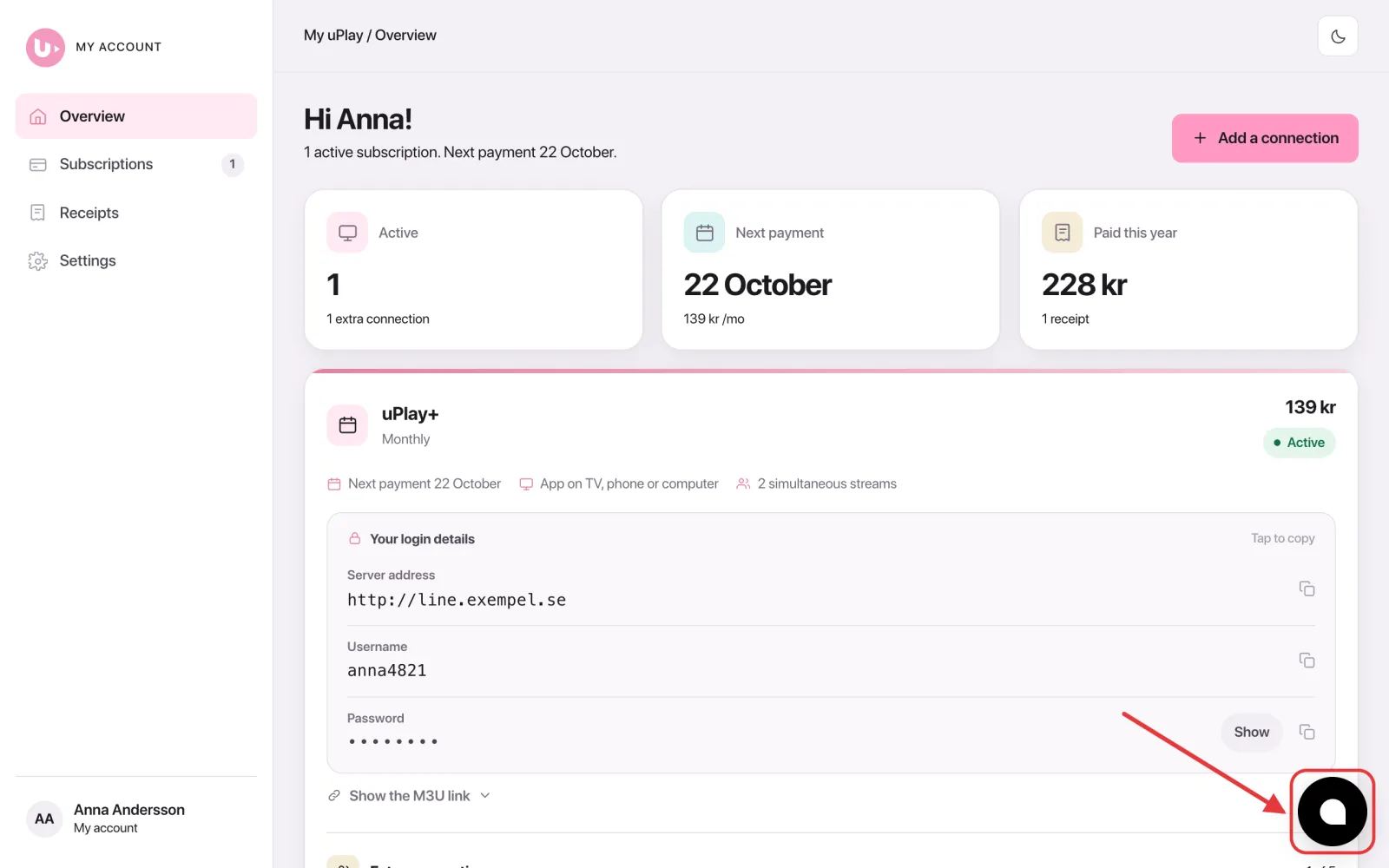
- You are now on Overview. Tap the chat bubble in the bottom right corner – on a phone it sits above the menu bar
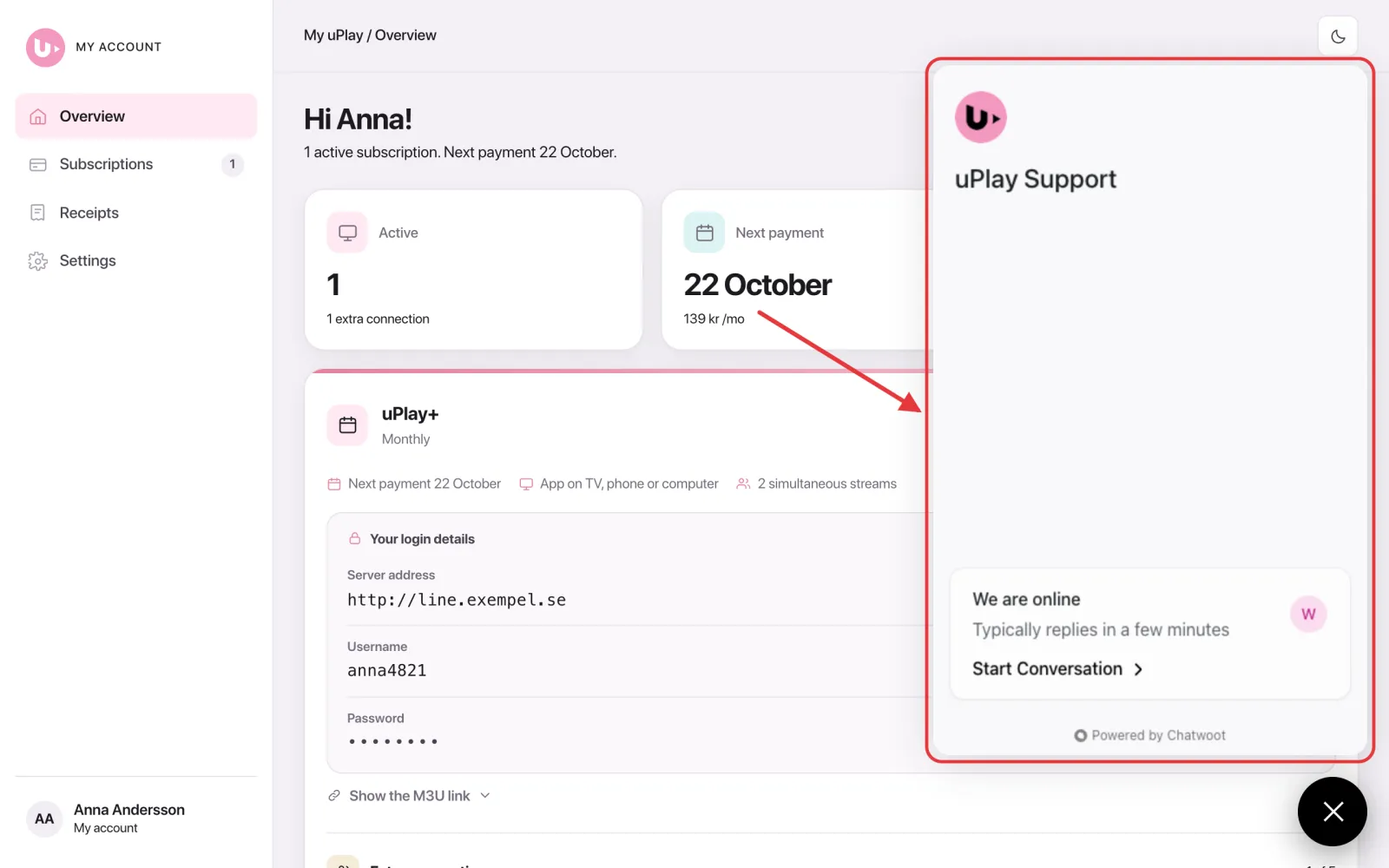
- The uPlay Support chat window opens. Tap Start Conversation and write what you need help with
Why do I need to be logged in?
By logging in, our support team can see your account directly and help you faster. It also eliminates any confusion about who we are talking to.
Other contact options
| Channel | What it's used for |
|---|---|
| Live chat (logged in) | Real support – the assistant answers first, you can always reach a human |
| Chat on uplay.se (logged out) | General questions for non-customers – chatbot only |
| hey@uplay.se | General questions for non-customers |
| Element X | Community and information channel – not support |
Emails we cannot respond to
We do not see or respond to emails from automated sends such as order confirmations, reminders, or no-reply@uplay.se – there is no inbox connected to these addresses. If you need help, always use the live chat via your account.
Frequently asked questions
Can I talk to a human?
Yes, always. In the live chat via your account our assistant answers first — it handles most questions and can fix some things for you directly. If you need a human, just say so and you will be put through. The chat is open around the clock, every day of the year.
What is the difference between the chat on uplay.se and the live chat on my account?
The chat on uplay.se (without logging in) is a simpler chatbot for general questions if you are not yet a customer. The live chat via your account is our real support channel: there we can see your account, fix things directly, and you can always reach a human when you need one.
Can I get support via Element X?
No. Element X has a community where users help each other, as well as an information channel where we share news and important updates. It is not a support channel and we do not handle support requests there.
How do I join Element X?
Tap Community on Element X under Help on My uPlay. Element X is free for iPhone and Android; on a computer, use the Element app or Element in your browser. Create an account in the app (matrix.org is preselected and free – a username is all you need), open the link again and tap Join. We don't have a QR code – open the link on the phone where the app is installed.
Element X says "You don't have access to this message", or that I can't write
The rooms are encrypted, so messages from before you joined can't be read afterwards. That's normal, and you'll see everything written after you joined. Only we post in the information channel – questions and conversation belong in the community.
What does "All good" at the top of My uPlay mean?
That our servers are responding – we check them every 90 seconds. It says nothing about your subscription. That is shown on the subscription's card: Active, Overdue, Ending or Ended.
Can I send an email to support?
The only email address we respond to is hey@uplay.se, and it is intended for non-customers with general questions. If you are an existing customer and need help, always use the live chat via your account – it is the fastest and most reliable way to reach us.