
How to connect your uPlay account in BobPlayer
BobPlayer is the app we recommend on Samsung TVs. It comes from the same maker as IBO Player, which is no longer in Samsung's app store, and works the same way: you don't log in to the app itself, but add your uPlay account on BobPlayer's website, and the app fetches it from there.
The right app for your device
- Samsung: BobPlayer, this guide.
- LG and other smart TVs, plus Windows and Mac: IBO Player.
- Android TV, Google TV, Nvidia Shield and Fire TV: TiviMate.
- Apple TV, iPhone and iPad: UHF.
Step 1: Install BobPlayer
Open Samsung's app store and search for BobPlayer. Start the app. The start screen shows a Mac Address and a Device Key. Write them down: you need them in the next step.
Several apps have almost the same name
BOB Player Premium and BOB PRO are other apps, with their own websites. This guide is for BobPlayer, managed on bobplayer.com. If you've installed one of the others: add the playlist on the website shown in the app. A playlist on the wrong website never shows up in the app.
Step 2: Log in on BobPlayer's website
- Open bobplayer.com/login in a browser on your computer or phone.
- Fill in Mac Address and Device Key exactly as they appear on the TV, and copy the code into Captcha.
- Press LOGIN.
Step 3: Add your uPlay account
- Choose Add XC Playlist. (XC is Xtream Codes. Always use it when the app has it.)
- Fill in:
| Field | What to enter |
|---|---|
| Playlist name | uPlay |
| Username | Your username |
| Password | Your password |
| Host | The server address |
| XMLTV EPG URL (Optional) | Leave empty: the TV guide comes along automatically |
- Press SAVE.
- Restart the app on your TV. It fetches the playlist when it starts, so changes on the website only show after a restart.
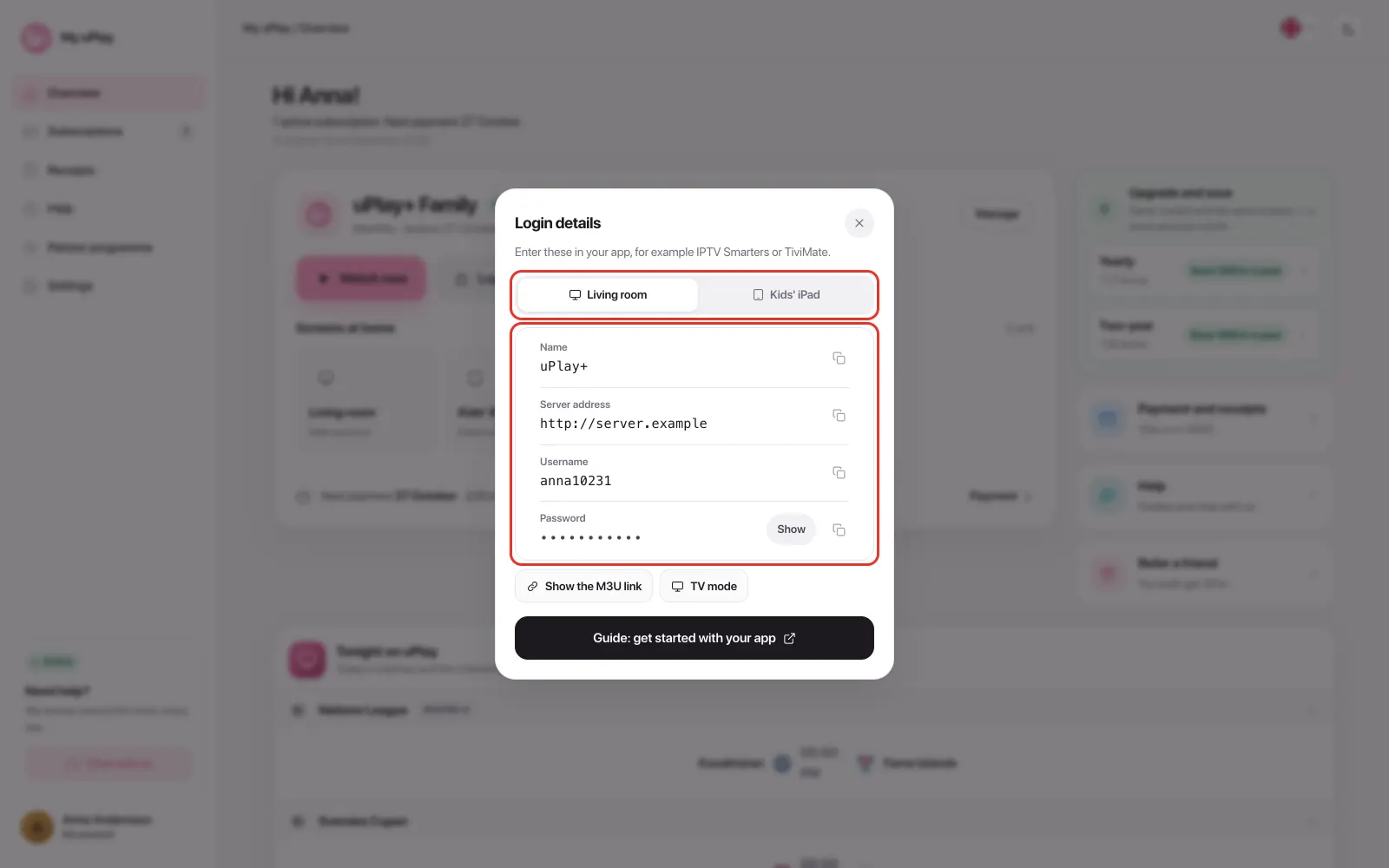
You'll find your username, password and server address on My uPlay under Login details, see Find your login credentials.
Does BobPlayer cost anything?
BobPlayer has a free 7-day trial and then costs a fee to the app maker. You see the price after logging in on bobplayer.com. Your uPlay subscription isn't affected by the app's trial.
Frequently asked questions
I've paid for IBO Player. Do I have to pay again?
No. Log in on bobplayer.com with the Mac Address and Device Key BobPlayer shows. Under Account Details, press Restore from IBO Player. Your paid IBO Player activation and your playlists are carried over to BobPlayer free of charge, and the activation in IBO Player stays. It works as long as BobPlayer is in its trial, not activated or expired.
"Invalid URL" when I save the playlist
The Host field only accepts an address that starts with http:// or https:// and has no spaces. A space at the end, which often comes along when you copy, is enough to cause the error. Enter the server address from your account page again, character by character.
No channels show after I added the account
Restart the app. Then check that the server address, username and password are exactly as on your account page, and that you chose Add XC Playlist. If the playlist is on a website other than bobplayer.com, your app belongs to another maker, see the box about apps with similar names.
The website says the MAC address or Device Key is wrong
Copy them again from the app's start screen, character by character. The TV has one MAC address for Wi-Fi and one for cable: use the one the app shows right now.
Can I use the same uPlay account on several devices?
Yes, but each TV has its own Mac Address and is activated separately. Remember that one uPlay subscription gives one stream at a time, see Watching on several devices at once.
The app doesn't work and I can't find an answer here
BobPlayer isn't our app, so questions about the app itself are best answered by BobPlayer's own support. Your uPlay account also works in other apps.
Summary
- BobPlayer is our pick on Samsung, from the same maker as IBO Player
- Add your account on bobplayer.com with Add XC Playlist and restart the app
- If you've already paid for IBO Player, Restore from IBO Player moves the activation free of charge