
Which app should I use for IPTV on iPhone and iPad?
Use UHF. The app is in the App Store, is built for Apple's devices and works the same way on iPhone, iPad and Apple TV. You add your account with Xtream Codes and are up and running in a few minutes.
What you need
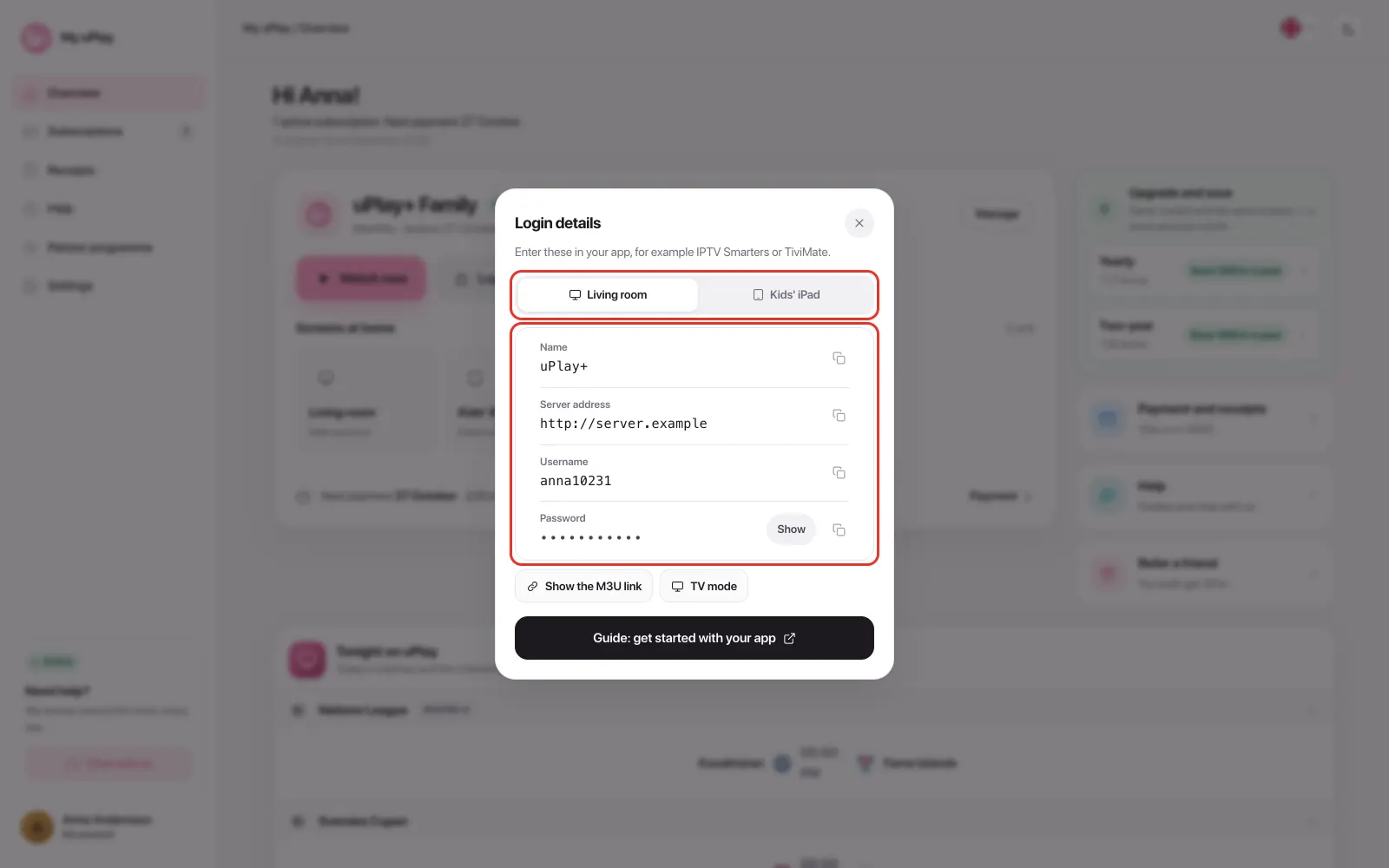
An IPTV subscription with Xtream Codes, meaning a server address, a username and a password. At uPlay you find them under Login details on My uPlay. Tap a row to copy the detail, so you don't have to type it.
Step 1: Install UHF
Open the App Store, search for UHF and install the app.
Step 2: Add your account
- Open UHF and choose to add a playlist.
- Select Xtream Codes, not M3U.
- Fill in a name (for example "uPlay"), the server address, username and password. The server address must start with http://.
- Save. Channels, programme guide, movies and series load, usually within half a minute.
Step 3: Choose the stream format TS
Go to Settings → General → Preferred video stream format and select TS. It is the first thing to check if the live channels won't start, or only start sometimes.
More settings and answers about UHF are in the UHF guide.
Watch without an app, in Safari
As a uPlay customer you can also watch directly in the browser. Log in to My uPlay and tap Watch now on your subscription's card. You'll find live TV, movies and series there. The player is marked Experimental and works on iPhone with iOS 17.1 or later. Some titles can only be played in an app.
Frequently asked questions
Does UHF cost anything?
UHF is free to download and use. The optional UHF Pro adds syncing between devices, among other things, and removes ads. What it costs is up to UHF.
Are there other apps for iPhone and iPad?
Yes. IPTVX has a good-looking interface and suits the iPad well. How to add your account there is in Other IPTV apps.
Can I send the picture to the TV with AirPlay?
AirPlay rarely works well with IPTV. It is better to install an app on the device connected to the TV. If you have an Apple TV you use UHF there too, see Best IPTV app for Apple TV.
Can I use the same account on iPhone, iPad and Apple TV?
Yes, with the same details. One subscription gives one stream at a time. If you want to watch on several screens at once, add an extra connection.
The programme guide won't load
Turn off iCloud Private Relay or a VPN and reload the playlist. With Xtream Codes, UHF fetches the guide itself, so you don't need an EPG address.
Does it work abroad and on mobile data?
Yes. The service works wherever you have a stable connection. See IPTV abroad and What internet speed does IPTV need?.
Summary
- Install UHF from the App Store
- Add your account with Xtream Codes
- Select TS under Settings → General → Preferred video stream format
- As a customer you can also tap Watch now on My uPlay and watch in Safari