
How do I watch IPTV on my computer?
You have two ways. As a uPlay customer you can watch directly in the browser, without installing anything. If you would rather have an app, use IBO Player, which is available for both Windows and Mac.
| In the browser | In an app | |
|---|---|---|
| Windows | Watch now on My uPlay | IBO Player |
| Mac | Watch now on My uPlay | UHF or IBO Player |
| Requires installation | No | Yes |
Watch in the browser
- Log in to My uPlay.
- Tap Watch now on your subscription's card.
You'll find live TV, movies and series there, and you can search your whole account. The player is marked Experimental. Some titles can only be played in an app, and the player doesn't work with accounts for MAG or TVIP boxes.
Watch in an app
IBO Player (Windows and Mac)
- Download the app from iboplayer.com/downloads and start it.
- Note the Mac Address and Device Key on the app's start screen.
- Add your account on IBO Player's website.
Every step, with what to fill in where, is in the IBO Player guide.
UHF (Mac)
UHF is in the App Store and is the app we recommend on Apple's devices. Add your account with Xtream Codes and choose the stream format TS. See the UHF guide.
The details you fill in
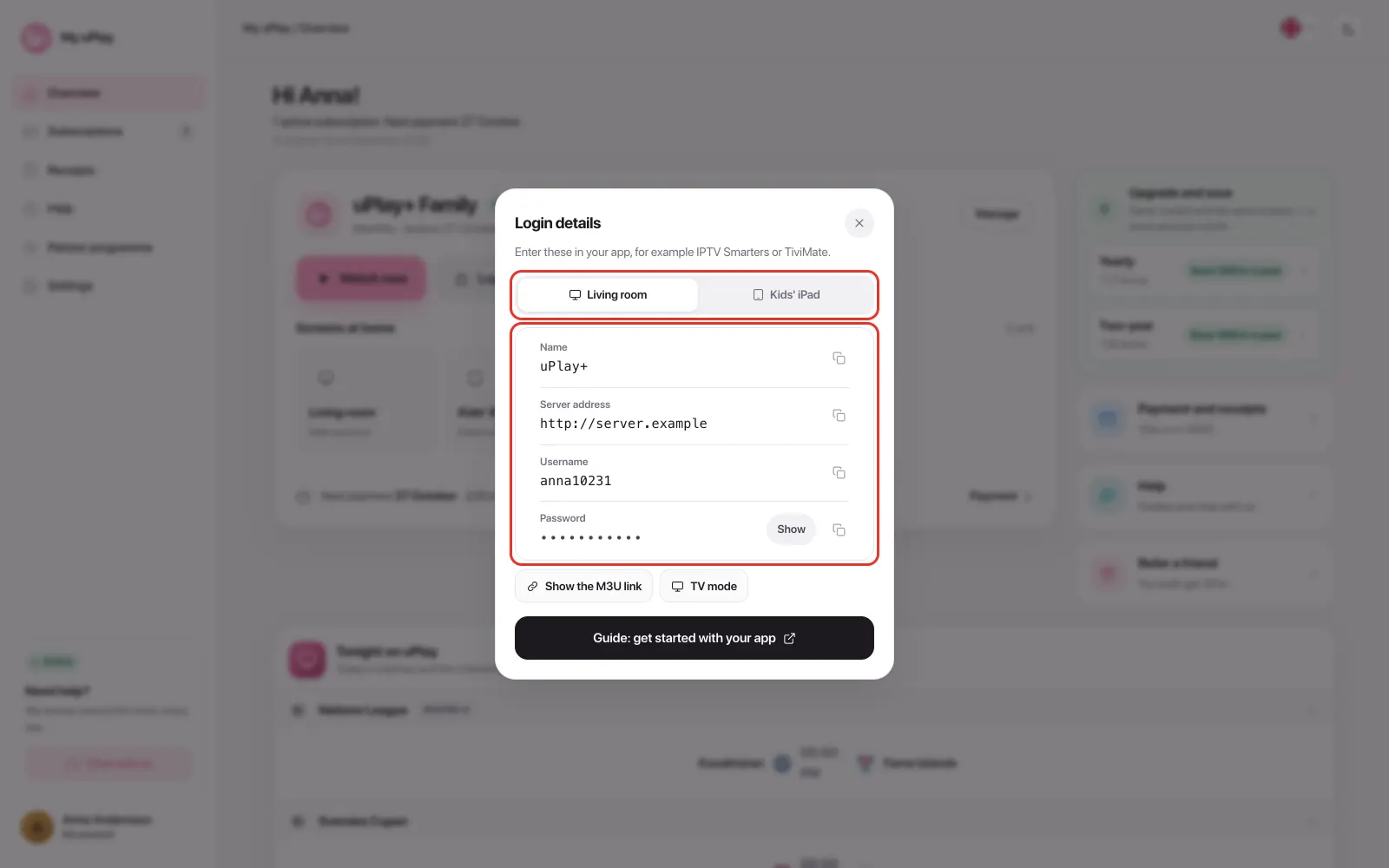
The apps ask for Xtream Codes, meaning a server address, a username and a password. At uPlay you find them under Login details on My uPlay.
Frequently asked questions
Can I use VLC?
VLC can only play the M3U link and has no Xtream Codes support, so it isn't suited to everyday viewing. Use IBO Player or Watch now in your browser.
Are there more apps for computers?
Yes. IPTVnator is available for computers and MyIPTV Player for Windows, and both take Xtream Codes. How to add your account is in Other IPTV apps.
Does IBO Player cost anything?
IBO Player is not our app. It has its own seven-day trial from installation, and after that it is activated per device with IBO Player. The price is on their website. The fee has nothing to do with your IPTV subscription.
I found a website that plays M3U links. Does it work?
No. Third-party websites that play M3U links don't work with uPlay, because the browser blocks them. Use Watch now on My uPlay.
Can I show the computer's picture on the TV?
Yes, with an HDMI cable between the computer and the TV. If you watch on the TV often, an app directly on the TV or on a box is easier. See Which devices does IPTV work on?.
The live channels won't start in the app, but movies and series work
Select MPEG-TS or TS under stream format in the app's settings. uPlay broadcasts live as MPEG-TS, and an app set to HLS shows an error or a black picture.
Summary
- Easiest: Watch now on My uPlay, directly in the browser
- App for Windows and Mac: IBO Player
- On Mac, UHF works too
- VLC has no Xtream Codes support and isn't suited to everyday viewing